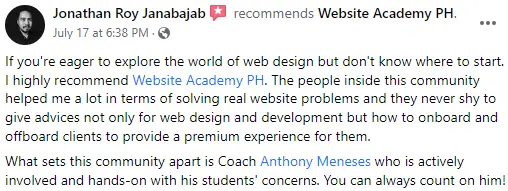

đš Enrollment is open for a limited time only â donât miss your chance to join!
Ready to Transition into High-Value Freelance Work?
Build Client-Ready Web & Funnel Systems That Command Better Rates
For serious beginners and freelancers ready to upgrade their income using Figma, WordPress, and modern automation tools â with hands-on mentorship and real support.
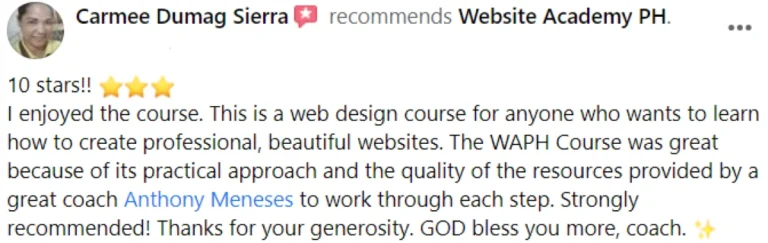
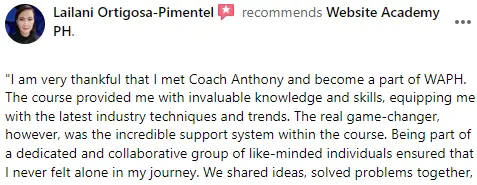
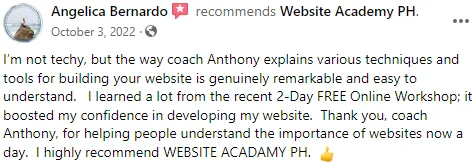
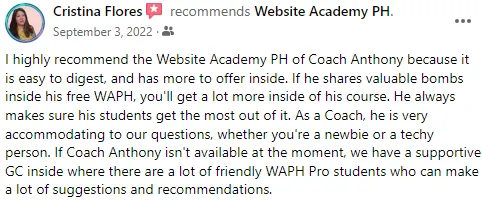
đ Over 200+ Students Transformed their Skills and Careers!
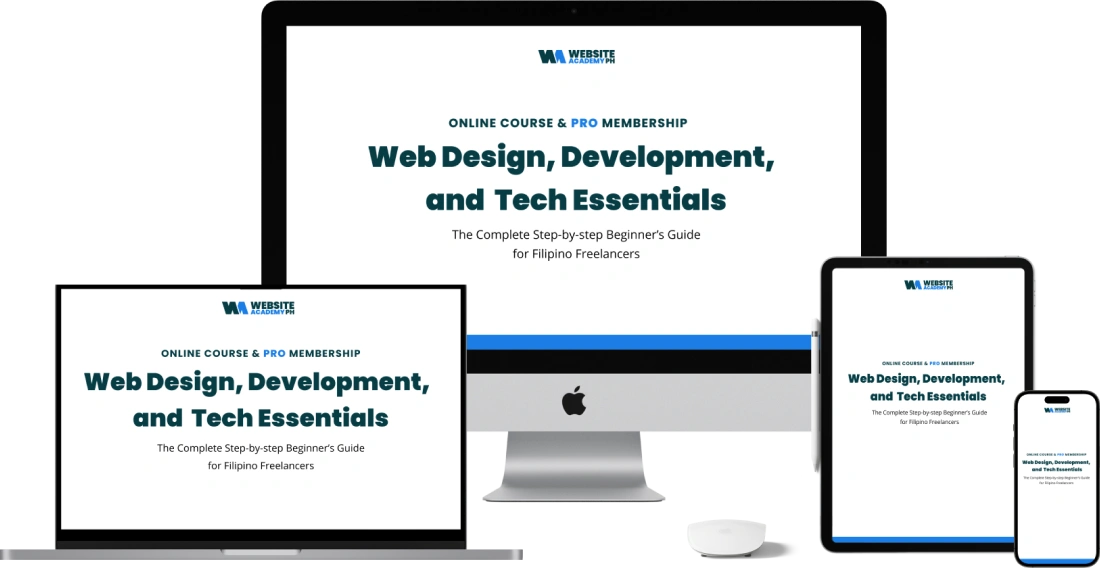
 đč Flexible, Self-paced Learning with One Year Access .
â Choose Between One-Time or 3-Month Payment Options.
đ Includes Bonus Course: The Road to 6-Figure Freelance Web Designer
Still Working Hard⊠But Stuck at Low Rates?
You understand how freelancing works.
Youâve watched tutorials.
Taken small gigs.
Maybe youâre a VA handling tasks for clients.
But hereâs the truth:
Youâre still being paid per task.
Per hour.
Per revision.
Per instruction.
And no matter how hard you work, your income barely moves.
MeanwhileâŠ
Freelancers who build systems
who combine websites with funnels
who think beyond tasks
are charging significantly higher.
The difference isnât luck.
Itâs positioning.
Itâs skill depth.
Itâs system thinking.
If youâre SERIOUS about transitioning from task-based work to System-level Freelancing, this is where it CHANGES.
“From Uncertain to Client-Ready.”
Thanks to Website Academy PH PRO, I gained the confidence and skills to create professional websites and start my freelancing journey, even as a complete beginner.
Jazzmine De Leon
Web Design Freelancer
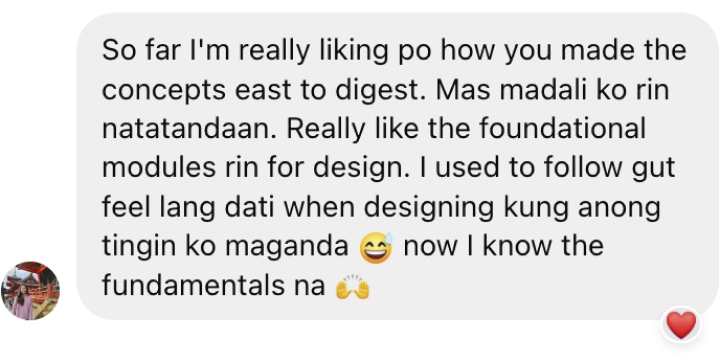
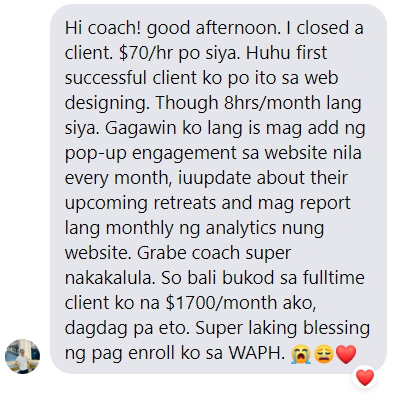
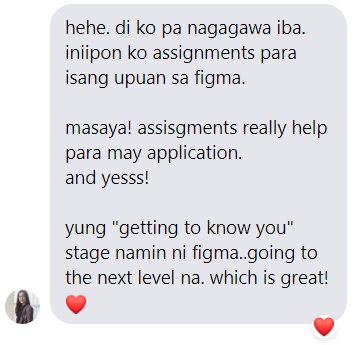
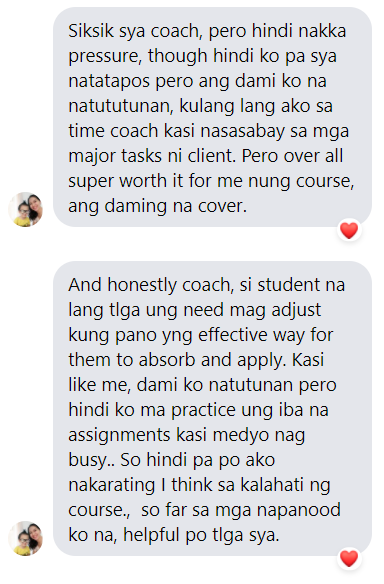
See How Real Students Transitioned from Learning to Landing Clients.
Learn through hands-on projects, real-world systems, and guided mentorship designed to move you from task-based work to client-ready execution.
How You Move from Task-Based Freelancer to Client-Ready Specialist đ»

Phase 1 â Foundation & Clarity
Understand the freelance landscape, positioning, and the difference between task work and system-level services.

Phase 2 â Design Skill Depth (Figma)
Learn to design structured, professional layouts that businesses actually need.
Phase 3 â Website Execution (WordPress + Elementor)
Turn your designs into real, working websites with clean structure and implementation skills.

Phase 4 â Funnels & Automation Thinking
Learn how websites connect to funnels, leads, and simple automation systems using beginner-friendly tools.
Phase 5 â Positioning & Client Readiness
Package your skills into high-value offers, build a strong portfolio, price confidently, and position yourself to attract better-paying clients.
COURSE OVERVIEW
What Youâll Master Inside the Client-Ready System
Inside each phase, youâll gain structured lessons, walkthroughs, and real implementation guidance designed to move you from task-based work to confident client-ready execution.
Lesson 1: Getting Started with WAPH PRO
Introduction to the course structure, expectations, and tools. Get familiar with WAPH PRO and start your journey with an overview of essential concepts in web design.
Lesson 2: Good Design Secrets
Explore foundational design principles like alignment, balance, contrast, and spacing. Understand what makes a design visually appealing and effective.
Â
Lesson 3: Layout
Learn about layouts and structuring web pages. Master Figmaâs auto-layout feature to create scalable and organized designs.
Lesson 4: Typography
Dive into typography basics, including font selection, hierarchy, and readability, to enhance user experience and readability on your website.
Lesson 5: Colors
Understand color theory, psychology, and the importance of color contrast. Learn how to select colors that convey the right emotions and maintain accessibility.
Lesson 6: Photography
Learn to select and optimize images for web use, enhancing visual appeal and loading speed. Includes tips on sourcing, editing, and using stock photos.
Lesson 7: Design Tricks
Discover helpful design techniques and shortcuts to streamline your workflow in Figma and create visually dynamic layouts efficiently.
Lesson 8: Design Practice and Process
Practical exercises to apply your design knowledge, focusing on real-world scenarios. Covers wireframing, prototyping, and refining your design approach.
Lesson 9: Website Fundamentals
Introduction to essential website components, including domain setup, hosting basics, and how websites function behind the scenes.
Lesson 10: WordPress CMS
Learn how to work with WordPress, from installation to navigating the dashboard. This module prepares you to build websites using a content management system.
Lesson 11: Elementor & WordPress Website Build
A step-by-step guide on using Elementor within WordPress. Build a complete website by implementing layouts, widgets, and customizations.
Exclusive Masterclasses & Tutorials
Access additional tutorials from industry experts on advanced topics like media buying, productivity tools, and in-depth web design practices.
Bonus Assets to Accelerate Your Transition đ
These bonus resources are curated to help you move faster, work smarter, and avoid common beginner mistakes â so youâre not starting from scratch.
Web Design
âą Design Tools
âą Typography
âą Colors
âą Stock Photos
âą Image Optimization Tools
âą Icons & Illustrations
âą Design Inspirations
âą All-in-One Design Assets
âą All-in-One Figma Assets
âą Multi-Device Mockup Generators
WordPress
âą Page Builders
âą Plugins
Web Hosting, Domain, & Email
âą Web Hosting, Domain, & Email Providers
Figma Community Plugins
âą Plugins
Software Apps
âą Google Chrome Extensions
âą Website Speed Test & Optimization
âą Responsive Design Tools
âą Project Management Tools
âą Screen & Camera Recording
âą Noise Cancelling
Website Builders
âą Website Builder Providers
AI Tools
âą AI Tool Providers
BONUS COURSE đ
The Road to High-Income Freelance Web Design
Introduction to Freelancing
âą Essentials of Freelancing: Overview of freelancing fundamentals.
âą Laying the Foundation: Setting expectations and goals for a freelance career.
âą Crafting Your Freelance Mindset: Developing a resilient mindset.
âą Importance of a Profitable Niche: How to find a niche that ensures demand.
Preparation for Freelancing
âąÂ Defining Your Target Audience: Identify who your ideal clients are.
âąÂ Creating Your Service Offerings: Structuring services that clients need.
âąÂ Pricing and Packages: How to set competitive and profitable rates.
âąÂ BONUS RESOURCES: Example Contracts and Templates.
Finding Work as a Freelance Web Designer
âąÂ Where to Find Clients: Platforms and strategies for client acquisition.
âąÂ Freelance Platforms Overview: Best platforms for new freelancers.
âąÂ Building Your Freelance Network: Leveraging networking for opportunities.
âąÂ Conclusion â Why Freelancing is The Way: Final thoughts on freelancing advantages.
Setting Up Your Profile That Attracts Clients
âąÂ Optimizing Your Freelance Profile: Tips to create a standout profile.
âąÂ Choosing the Right Portfolio: Showcasing relevant work to attract ideal clients.
âąÂ Completing Profile Basics: Ensuring professionalism and appeal.
Handling Interviews or Discovery Calls
âąÂ Crafting Your Responses: Answering top client questions confidently.
âąÂ Overcoming Nerves: Tips for effective communication during calls.
âąÂ BONUS RESOURCES: Discovery Call Script Templates and Interview Tips.
Crafting Winning Proposals & Walkthrough
âąÂ Proposal Basics: Creating proposals that stand out.
âąÂ BONUS RESOURCES: Proposal and Template Walkthrough.
Addressing Concerns & Objections
âąÂ Handling Common Client Objections: Overcoming client doubts effectively.
âąÂ BONUS RESOURCES: Email Scripts for Handling Objections.
Invoicing and Contracts
âąÂ Setting Up Invoices: Crafting professional invoices.
âąÂ Payment Platforms Overview: Tools and platforms for secure payments.
âąÂ BONUS RESOURCES: Invoice and Contract Templates.
Client Onboarding and Offboarding Made Simple
âąÂ Onboarding New Clients: Setting up expectations and project scope.
âąÂ Managing Client Handoffs: Ensuring a smooth offboarding experience.
âąÂ BONUS RESOURCES: Client Welcome and Goodbye Packet Templates.
Freelancing Success Tips
âą Time Management for Freelancers: Maximizing productivity.
âą How to Scale Your Freelance Career: Growing your freelance business.
âą BONUS RESOURCES: Freelance Productivity Tools and Tips.
Exclusive Assets to Help You Become Client-Ready đ»

Figma Assignments & Exercises
Hands-on Figma projects designed to build portfolio-ready work â with direct feedback so you improve faster. (â±9,997 value).

Coaching Call Sessions
Live coaching sessions where we review your work, clarify your positioning, and help you move forward with confidence.(â±19,997 value).

Portfolio Web Design
A ready-to-customize portfolio structure so you can present yourself professionally and charge with confidence. (â±4,997 value).

Design Process
A proven 3-step client workflow and discovery framework so you stop guessing and start leading conversations. (â±14,997 value)

Exclusive Masterclasses
Advanced sessions on positioning, productivity, and growth strategies to help you think beyond tasks. (â±9,997 value).
Client-Ready Scripts & Templates That Help You Close Better Clientsđ
- Handling Interviews or Discovery Calls (â±4,997 value).
- Crafting Winning Proposals & Walkthrough (â±4,997 value).
- Addressing Concerns & Objections (â±4,997 value).Â
- Invoicing and Contracts (â±4,997 value).Â
- Client Onboarding & Offboarding (â±4,997 value).Â
ABOUT
Your Mentor in Building High-Value Web & Funnel Skills
Hi, Iâm Anthony, founder of Website Academy PH.
I help freelancers and aspiring web designers move from task-based work to building client-ready web and funnel systems.
After years of building real projects and mentoring students, Iâve seen one thing clearly:
Information alone isnât enough.
Thatâs why this program focuses not just on learning tools, but on building structure, confidence, and professional execution skills â with real guidance and support.
Heidi Salvador
TESTIMONIALS
Real Results from Real Students
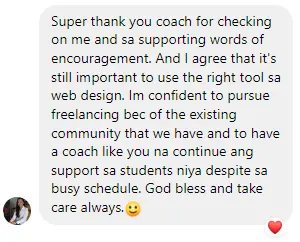
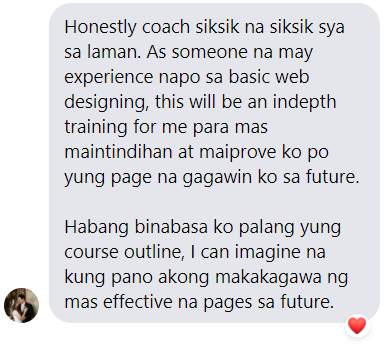
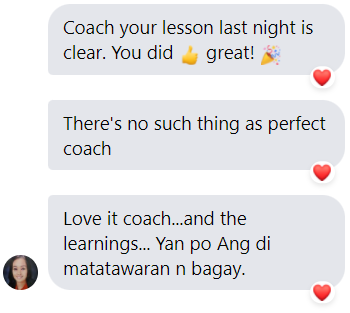
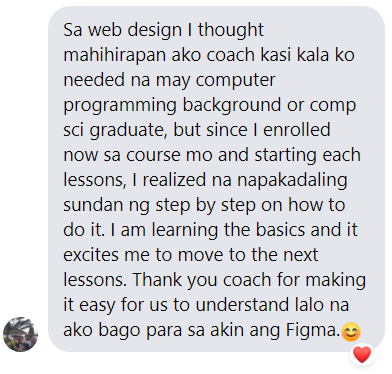
“You’re getting way more than his online course! You have a coach & a community that will give you structure & interaction.”
Sheena Romero
CEO & Founder of SOP Digital Solutions
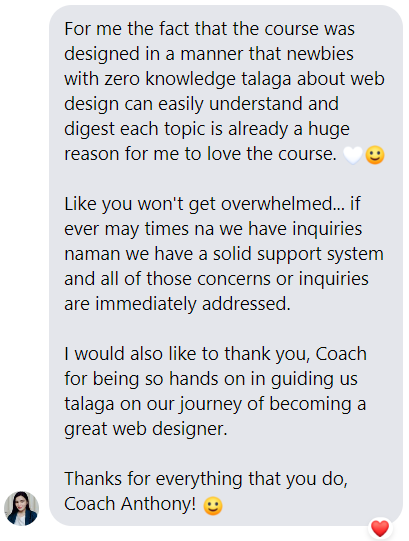
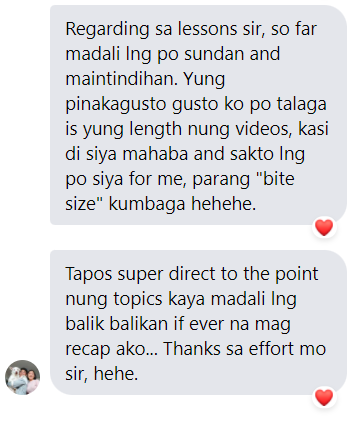
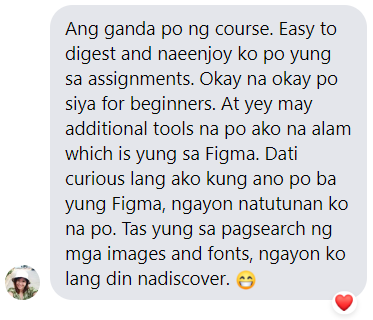
“Coach Anthony’s course simplifies complex terms, making learning fun and easy! The support system and community are great!”
Rafgeline Perey
Web and Funnel Designer
“Grateful for Coach Anthonyâs mentoring and support, I can now earn from home comfortably and confidently.”
Cory Catalig
Full time Mom & Freelance Web Designer
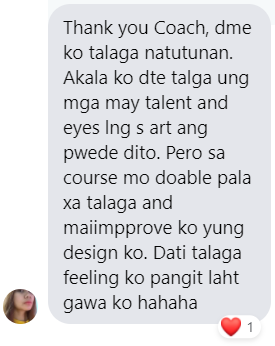
âThanks to WAPH and Coach Anthony, I enhanced my web design skills, gained confidence, and stayed motivated!â
Cris Sanchez
Freelance Graphic & Web Designer


What Makes WAPH a Client-Ready System, Not Just Tutorials

Step-by-Step Curriculum
A structured roadmap that takes you from task-based work to system-level freelance execution.

Hands-On Learning
Real projects designed to build portfolio-ready work, not just theoretical practice.

Exclusive Templates & UI Kits
Professional templates and UI kits that help you execute faster and present your work confidently.

Personalized Feedback
Direct feedback so you refine your skills faster and avoid common beginner mistakes.

Community & Coaching
Ongoing coaching and community support so you donât get stuck figuring things out alone.
These bonus resources are curated to help you move faster, work smarter, and avoid common beginner mistakes, so youâre not starting from scratch.
Choose the Plan that Fits Your Goals
Essentials Plan
âBest for self-paced learners who want to build strong foundations and execute independently.â
One-time Payment: P9,997
3-Monthly Payments: P3,999 per month
Note: Prices may change without prior notice. Lock in your rate while this offer is still available.
- 1-Year Access to All Core Training
- Structured Practice Assignments
- Community Access for Peer Support
- Ideal for Self-Motivated Learners
Mastery Plan âš
âFor those who want hands-on mentorship, structured feedback, and accountability to accelerate their freelance transition.â
One-time Payment: P13,997
3-Monthly Payments: P4,999 per month
Note: Prices may change without prior notice. Lock in your rate while this offer is still available.
- Lifetime Access to All Training
- All Course Videos & Lessons
- Personalized Feedback on Assignments
- Full Community Access with Ongoing Support
- Live Group Coaching & Mentorship
- Advanced Masterclasses for Positioning & Growth
- More Bonuses
Frequently Asked Questions
What is Website Academy PH PRO? Is it a Live Training or Self-Paced?
Website Academy PH PRO is a self-paced web design and development course, allowing you to learn on your schedule. Only the Mastery plan offers lifetime access, along with live coaching calls and community support, while the Essentials plan provides 1-year access.
Who is this course for? Do I need prior experience?
This course is perfect for beginners and aspiring web designers with little to no experience. Itâs also ideal for freelancers or VAs wanting to expand their skills in web design without needing any coding background.
What tools and platforms will we use in the course?
Youâll work with popular, beginner-friendly tools like Figma for design and WordPress (with Elementor) for building websites. These tools are accessible and powerful, making it easy to create professional-quality websites.
Will I need to know how to code?
No coding experience is required. This course focuses on no-code web development, so youâll learn to design and build websites without writing a single line of code.
How long does it take to complete the course?
The course has over 10 hours of on-demand video, with additional time needed for assignments and practice. Most students finish within 4â6 weeks by dedicating a few hours per week, but you can go at your own pace.
Whatâs the difference between the Essentials and Mastery plans?
The Essentials Plan includes 1-year access to all course videos and practice assignments. The Mastery Plan provides lifetime access, personalized feedback, live coaching calls, and exclusive masterclasses with industry experts for a comprehensive learning experience.
What kind of support is included?
Only the Mastery plan includes access to community support, personalized feedback on assignments, and regular live coaching calls, making it easier to overcome challenges and receive direct guidance.
How does the 3-month payment option work?
You can choose to pay for the course in three installments, billed every 30 days. This option is available at checkout, allowing you to spread the cost over time.
Can I pay via credit card?
Yes, credit card payments are accepted for straight payments. If youâd like to pay in installments, you may contact your bank provider to convert your payment to up to 12 months, depending on their policies. Please reach out to your bank for more information on installment options.
What additional resources will I receive in the course?
Alongside the core modules, youâll get access to bonus resources like templates for contracts, proposals, web design quality checklists, and curated toolkits (design tools, stock photos, mockup generators, etc.) to enhance your learning experience.
What is the âRoad to 6-Figure Freelance Web Designerâ bonus course?
This exclusive bonus course is designed to help you transition to a high-earning freelance web design career. It covers topics like finding clients, handling proposals, setting rates, and scaling your business.
What are the benefits of the Pro Community membership?
The Pro Community provides exclusive networking, ongoing support, live Q&As, and industry insights. Youâll also have access to exclusive masterclasses and a space to ask questions, share your work, and receive constructive feedback.
Will I receive a certificate upon completion?
Yes, a certificate of completion is available upon request after finishing the course.
Can I upgrade to the Mastery plan later?
Yes, you can upgrade to the Mastery plan at any time. Please note that there will be a markup over the Essentials plan when upgrading.
Ready to Transition from Task-Based to Client-Ready?
If youâre serious about moving beyond low-rate freelance work and building real, client-ready web and funnel systems, this is your next step.
Structured lessons. Real projects. Guided mentorship.